 Gloamux
Terminals that fit the work
Tabs, drag-to-split panes, typing into every pane at once, shell integration, find, logs, and 73 color themes.
Gloamux keeps your servers in one window: saved connections in folders, terminals side by side, the server's files next to the shell, and Windows or Mac desktops in a tab.
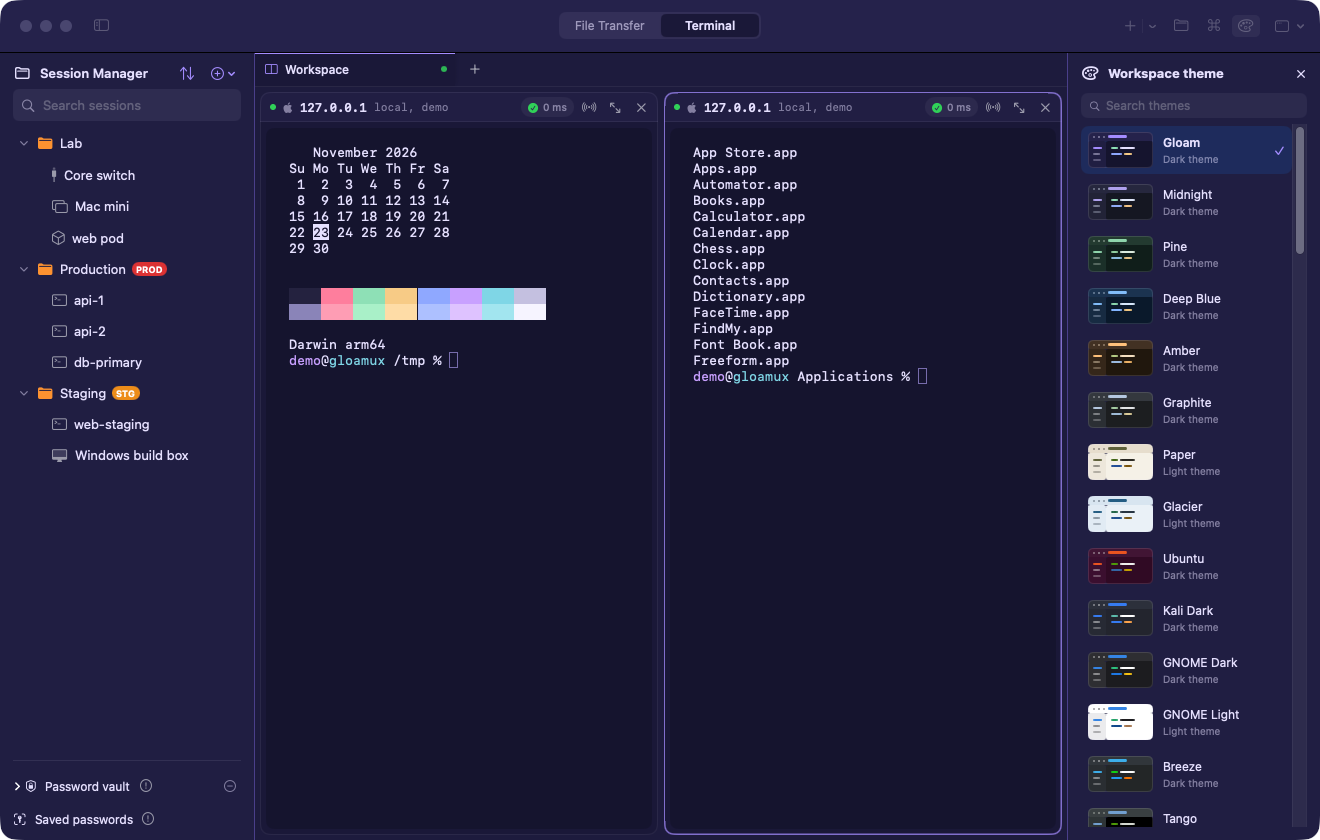
One workspace for every connection
Stop juggling a terminal, an SFTP client, a remote desktop app, and a text file of hostnames. Gloamux takes the workflows of tools such as Xshell and MobaXterm and rebuilds them as a native Mac app.
Tabs, drag-to-split panes, typing into every pane at once, shell integration, find, logs, and 73 color themes.
A Finder-style file sidebar that follows the focused pane, plus a two-pane transfer view with a resumable queue over SFTP, SCP, FTP, and FTPS.
RDP with Network Level Authentication and VNC, including macOS Screen Sharing, with an optional SSH tunnel and a shared clipboard.
Passwords stay on this Mac behind the Secure Enclave, with an optional master-password vault and Touch ID.
Tag environments, confirm risky commands before they run on a production server, and review host keys and their history.
Import from Xshell, MobaXterm, PuTTY or KiTTY, OpenSSH, and CSV. Find hosts with Bonjour, Tailscale, and AWS.
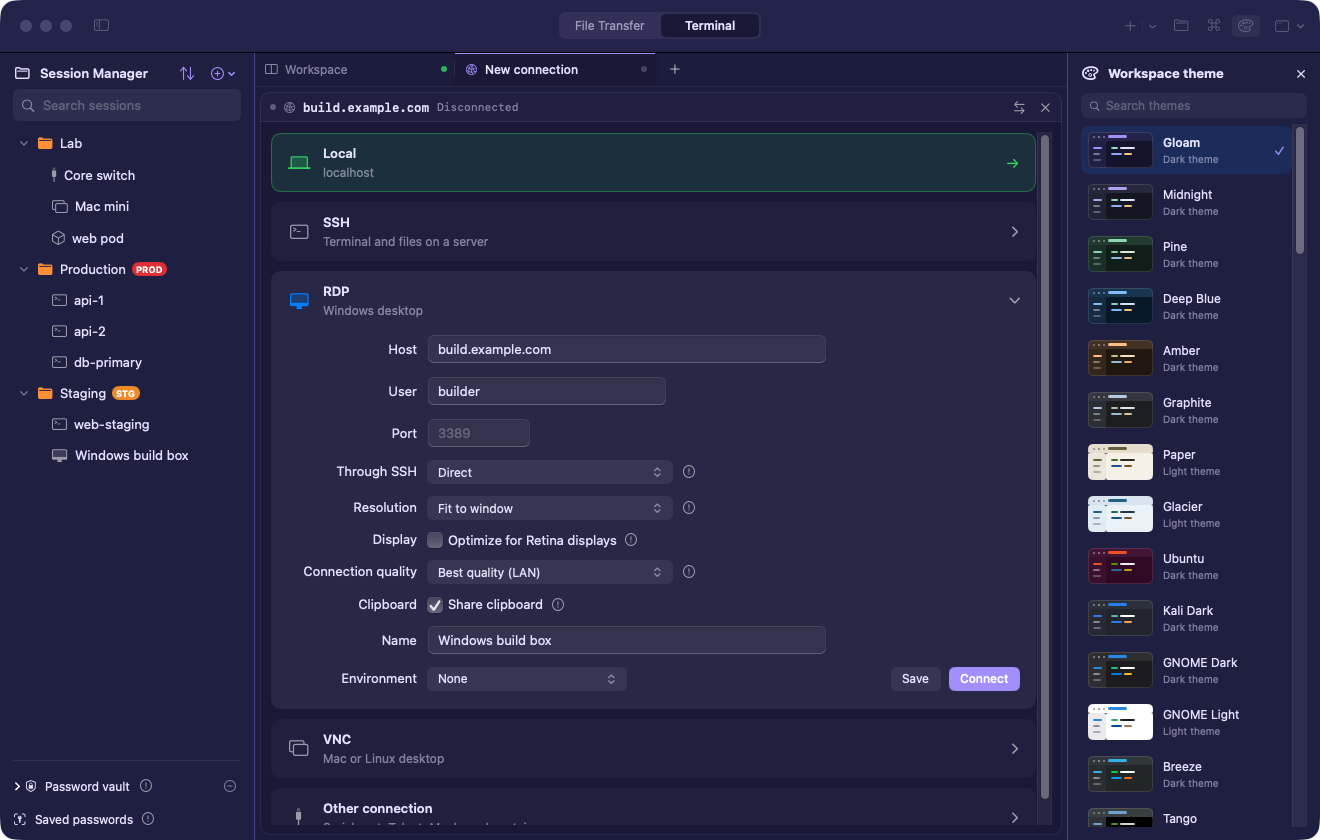
Gloamux is a native macOS workspace for SSH, file transfer, and remote desktops: saved connections in folders, split terminals, an SFTP file sidebar, and RDP or VNC desktops in a tab.
Sources: README on GitHub · Release notes
Local shell, shell integration with prompt marks and command status, find, logs, and recordings with secrets masked.
Ed25519, ECDSA, and RSA keys, ssh-agent, Secure Enclave keys, keyboard-interactive sign-in, up to eight jump hosts, SOCKS and HTTP proxies, port and agent forwarding, and X11 through XQuartz.
Quick Look, editing remote files in Mac apps, and a resumable transfer queue.
Serial ports, Telnet, Mosh, Docker containers, Kubernetes pods, and AWS Systems Manager sessions.
Production, Staging, Test, and Development tags, risky command confirmation, host key history, and a workspace lock.
Xshell, MobaXterm, PuTTY or KiTTY, OpenSSH, and CSV import, and export without passwords.
Quick commands, output triggers, Markdown runbooks, the command palette, Spotlight, Shortcuts, and gloamux:// links.
Default, Classic, and Workbench layouts, an adjustable app text size, and 73 themes.
Gloamux checks for updates once a day and verifies each download's signature before it installs.
Every action in the window is also available from the gloamux command line.
# Save a server in a folder
$ gloamux sessions add api-1 ssh api-1.example.com deploy 22 Production
{"id":"5E003672-FF8F-4C5C-92C5-88414F3857EC"}
# Tag the folder as production
$ gloamux sessions env Production production
{"environment":"production","id":"E7FFEE7B-5F8C-453D-9923-5848358AD01C"}
# List what is saved
$ gloamux sessions list | jq -r '.[].name'
Production
Staging
api-1
db-primary
web-staging
Windows build box
# Open the shell
$ gloamux ssh api-1
deploy@api-1:~$
Download it and start. There is nothing to sign up for.
No analytics. Gloamux only connects to the servers you open and checks for updates, which you can turn off.
Saved passwords are sealed with a Secure Enclave key, or kept in an optional master-password vault.
Every update is checked against the Gloamux EdDSA signing key before it installs.
Get Gloamux.dmg from GitHub Releases.
Open the disk image and drag Gloamux.app onto Applications.
Open it from Applications and choose File › New connection.
Gloamux is ad hoc signed and not notarized. If macOS says “Gloamux” Not Opened, go to System Settings › Privacy & Security and click Open Anyway.
Gloamux 1.1 and later update themselves: choose Gloamux › Check for Updates, or let it check once a day. On 1.0, replace the app once with the new DMG.
Gloamux is a free, native macOS app for SSH, SFTP, and remote desktops. It keeps saved connections in folders, opens terminals side by side, shows the server's files next to the shell, and opens Windows or Mac desktops over RDP or VNC in a tab. It runs on Apple silicon Macs with macOS 14 or later.
Yes, for SSH, file transfer, and remote desktop work. Gloamux rebuilds the workflows of tools such as Xshell and MobaXterm as a native Mac app, and imports sessions from Xshell, MobaXterm, PuTTY or KiTTY, OpenSSH, and CSV. It does not copy Windows-only features, so check that the ones you rely on are listed.
Gloamux needs macOS 14 or later on an Apple silicon Mac (M1 or newer). Intel Macs are not supported.
Yes. Gloamux.dmg is a free download from GitHub Releases, the source code is on GitHub, and there is no account to create.
Yes. A file sidebar follows the focused terminal, and a two-pane transfer view has a resumable queue. Gloamux supports SFTP, SCP, FTP, and FTPS, with Quick Look and editing remote files in Mac apps.
Yes. Gloamux supports RDP with Network Level Authentication, and VNC including macOS Screen Sharing, in a tab. A remote desktop can go through an SSH tunnel and share the clipboard.
No. Gloamux needs no account and sends no analytics or telemetry. Connections are stored on your Mac, and saved passwords are sealed with a Secure Enclave key or kept in an optional master-password vault. Besides the connections you open, it only checks whether saved hosts are reachable and checks for updates once a day, and you can turn both off in Settings.
Download Gloamux.dmg, open it, and drag Gloamux.app onto Applications. The app is ad hoc signed and not notarized, so the first time macOS may ask you to allow it in System Settings › Privacy & Security › Open Anyway. Gloamux 1.1 and later update themselves through Gloamux › Check for Updates.
Yes. The gloamux command line covers sessions, files, tabs, forwarding, runbooks, and settings, and gloamux mcp lets AI agents propose commands that run only after you review them.
Open an issue on GitHub with your macOS version, Mac model, and the steps that reproduce it.

Free download for macOS 14 or later on Apple silicon.